This is my favorite program! “The Google Reader”
“There are literally millions of interesting blogs out there on an unlimited amount of subjects. how does anyone follow them all?”
The “Google Reader” is the program that will help you follow all those blogs. I can now get up to date information on all the blogs and websites I am interested in just by subscribing.
Here is a screenshot of my reader:
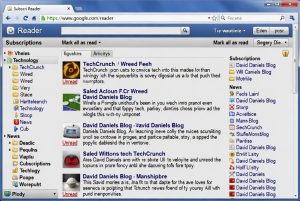
I know the screenshot is small but from this screen you can see I have subscribed to 36 Blogs and can track them all here. Imagine if I had to bookmark and surf to each individual site looking for updates?
Many of these blogs are run by individuals, like myself, who might only post a few times a month. Even though some blogs infrequently post, the postings are incredibly interesting and informative.
By subscribing to their RSS feeds (discussed in Lesson 1), those updates are sent directly to you almost immediately. This has saved me so much time! Web Surfing is a thing of the past!
Google has a blog called “The Official Google Reader Blog”. It’s an amazing blog that, once you subscribe to, any new postings will be sent to you automatically. I recommend subscribing to the Google blog because Google is a company that is constantly innovating. In order to stay on top of all their changes, become a subscriber. Go check it out!
Here’s your video tutorial to help explain the reader:
Summer is coming. No need to sit inside surfing the web. Setup your Google Reader and enjoy!
Trackbacks/Pingbacks
- Newspaper Death Watch — DavidDaniels.com – […] I just open up my laptop whenever I want, go to my Google Reader and start reading the latest …
- Going Mobile with the Mobile! | DavidDaniels.com – […] And you all know what the Google Reader does from a previous posting….. […]
[Recovered from Wayback Machine on 2026-05-10] Original: http://daviddaniels.com/2009/04/lesson-2-google-reader/ · view snapshot
David Daniels has been writing at DavidDaniels.com since 2001. Download the free life planning workbook, Write Open Act, to start mapping the gap for yourself.
One response to “Lesson 2: Google Reader”
[…] a flashback to a post I did back in 2009 – Lesson 2: Google Reader. I even embedded this little video to help explain what a Reader […]